


Super Hearing: Spy Hearing App
4.7357.00 Reviews
App Specs
- Version
- 2.1.0
- Updated On
- License
- Free
- Downloads
- 500,000+
- Developer
- Wallet Passes Alliance
- Categories
- Music & Audio
- Platform
- Android
Screenshots
 Analysis by AppCompare
I like Super Hearing: Spy Hearing App best as an occasional listening tool, not as a way to turn an ordinary phone into professional audio equipment. It can make nearby sound more noticeable through headphones, and the equalizer and recording option give it practical uses beyond simply experimenting. But results depend on your phone’s microphone, your headphones, and the room around you, so I’d treat it as a situational aid rather than a dependable solution for every hearing need.
That distinction matters because an amplified sound is not necessarily a clearer sound. In a quiet setting, boosting what the microphone picks up can make small details easier to notice. In a busy space, it may bring up background noise along with the voice you want to hear. My advice is to try it in a calm place first, at a comfortable listening level, and then decide whether it helps in the situation you have in mind.
Getting Started with Super Hearing
First off, downloading the app was a breeze. It's available on both Android and iOS, which is super convenient. Once installed, the setup was intuitive. The app interface is clean and simple, which I appreciated because, let's face it, nobody wants to spend ages figuring out how to use an app. The main screen has a big button to start listening, and that's about as straightforward as it gets. The Android listing identifies Wallet Passes Alliance as the developer; the app is free to install, rated for Everyone, and has optional in-app purchases. I’d check the purchase screen before choosing anything paid, especially if I only wanted to try its basic listening function.
How It Works
So, how does the app actually work? Essentially, it uses your phone's microphone to pick up sounds from your surroundings and amplifies them through your headphones. It's kind of like having your own personal sound engineer. I tried it out in a few different settings to see how versatile it really is.
At first, I used it in a busy coffee shop, and it was impressive. I could hear conversations from across the room quite clearly. It felt like I was eavesdropping, but in a totally legal way! Then, I gave it a go during a walk in the park, and it amplified the sound of birds chirping and leaves rustling, which was pretty calming. It’s like having nature’s playlist in your ears.
Those examples also point to an important trade-off: the microphone hears the whole environment, not just the person or sound you care about. Before using it for a conversation, I’d move to a quieter spot, sit with the speaker facing the phone, and make a small test adjustment rather than immediately turning the volume up. That simple setup can be more useful than trying to compensate for a noisy room with extra amplification.
For an everyday trial, imagine sitting at a kitchen table while a family member speaks from the other side of the room. I’d place the phone on the table between us, start listening, and ask them to say a sentence at their normal volume. If the result is harsh or picks up clatter more strongly than speech, I’d reposition the phone or turn the level down. This is a practical way to find out whether the app helps in that room without relying on it for an important conversation.
Worth Reading Before You Choose

EA SPORTS FC Mobile 26 Is a Bigger Football Game, but It Takes Time

Flipboard Shows What News Apps Must Do Beyond the Feed

Switching to Android Auto Means Rethinking Your Driving Routine

Google Calendar Makes a Crowded Week Easier to Manage

Ludo King Makes the Most of the Minutes Between Plans

Baby Panda World Brings Quick Play to Modern Phones, but Its Game Library Feels Busy
Features and Performance
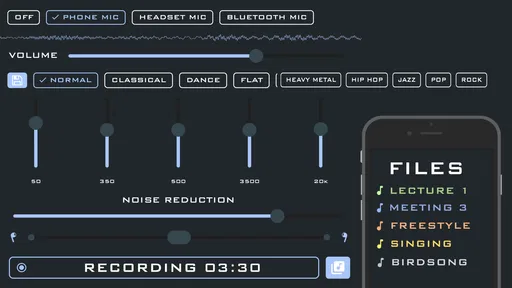
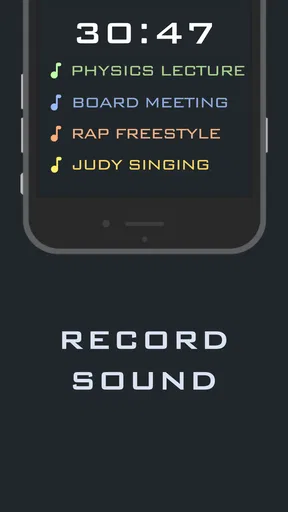
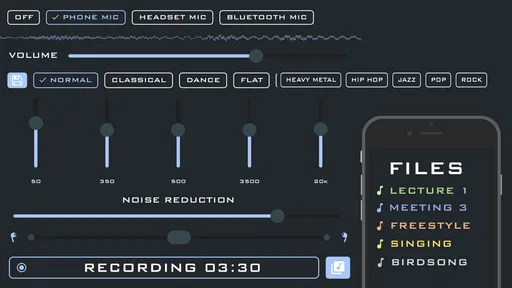
The app offers a few nifty features. There’s an equalizer to adjust the sound settings, which is great for tailoring the audio experience to your liking. The app also lets you record audio, so if you’re a student wanting to record lectures or just someone who likes keeping notes, this feature will come in handy. I’d treat recording as a separate convenience rather than assume amplification automatically makes a recording clearer: microphone placement and the room still matter. For a class or meeting, it’s sensible to test the setup beforehand and get permission before recording other people.
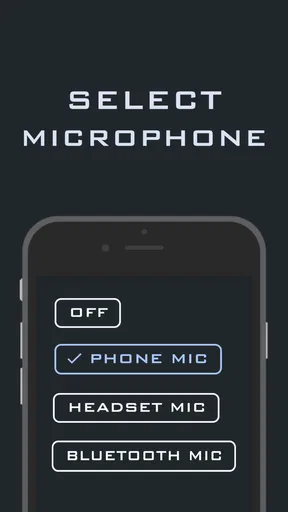
Performance-wise, the app runs smoothly. I didn’t experience any lag or crashes, which is a big plus. It’s lightweight, so it doesn’t hog your phone’s resources. However, make sure you have a good pair of headphones because the app's performance highly depends on them. I used noise-canceling headphones, and the sound quality was top-notch. For a first test, ordinary wired or wireless headphones you already own are enough to judge whether the idea suits you; upgrading equipment before testing would be premature. Keep the volume moderate, too. More amplification is not automatically more comfortable or more informative.
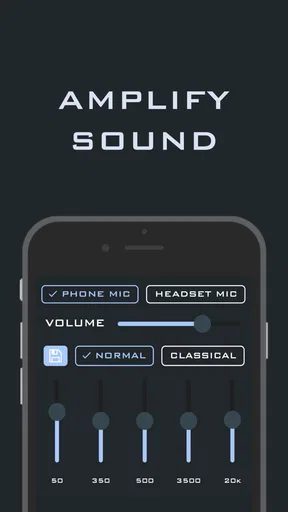
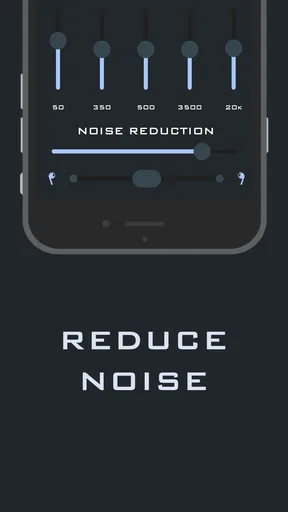
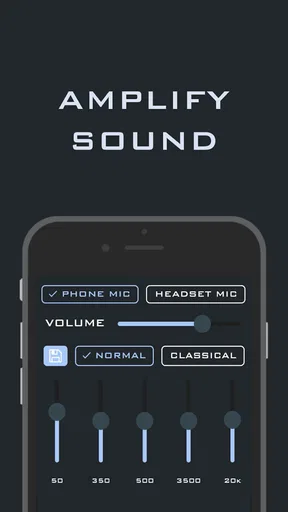
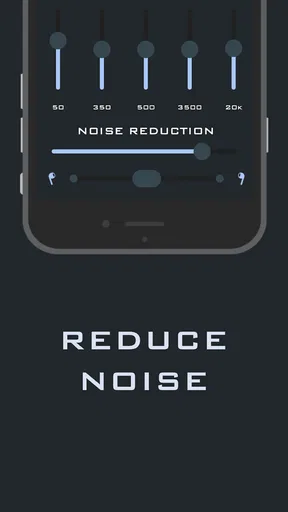
The equalizer is most useful as a small correction, not a magic fix. I’d change one setting at a time while listening to a familiar voice, then pause and compare, rather than making several adjustments at once. That makes it easier to tell whether a change improves speech or merely makes the overall sound louder. A quick check with headphones on before entering a noisy place can also prevent the awkwardness of trying to tune everything while someone is waiting for your attention.
Compared with the usual alternatives, this app occupies a middle ground. A phone’s built-in accessibility options may be simpler if you only need a system-level adjustment, while dedicated hearing devices are designed for ongoing support and a more tailored fit. A standard voice recorder is a more direct choice if your only goal is to capture notes, since live amplification is not necessary for that task. I’d choose this app when I want to explore nearby sounds or test whether phone-based amplification is helpful, but not as a substitute for equipment or professional advice intended for persistent hearing difficulty.
Who Is It For?
The app is perfect for anyone who needs a little help with hearing in certain situations, like those who might struggle to catch every word in a conversation or want to enjoy ambient sounds without any fuss. It’s also a fun tool for anyone curious about how it feels to have a heightened sense of hearing. I think it is especially appealing to people who already use headphones and want a quick, low-commitment way to experiment with amplification, as well as listeners who enjoy focusing on outdoor ambience.
It is less suitable if you need reliable hearing support throughout the day, expect it to isolate one voice from a crowd, or want a hands-free device that works without positioning a phone and wearing headphones. Someone with recurring difficulty following conversations should look into appropriate hearing care rather than relying on an app as a diagnosis or treatment. For occasional use, though, the free download makes it easy to decide whether this style of listening fits your routine before spending money on optional purchases.
However, it’s important to use it responsibly. The app is not a replacement for professional hearing aids, and it’s crucial to respect others’ privacy. So, maybe avoid using it in settings where you might overhear sensitive information. I’d also be thoughtful about where I point the phone’s microphone and when I record; people nearby may not expect their conversation to be captured. Using it openly for your own listening, rather than secretly monitoring others, is the sensible boundary.
Final Thoughts
Overall, the app is a quirky and interesting tool that can enhance your auditory experience. It’s easy to use, performs well, and has a couple of neat features that make it stand out. Whether you’re using it for practical reasons or just for fun, it’s worth a shot. Just remember to keep it ethical and enjoy your new superpower responsibly! Its 4.7 average from around 6,800 ratings and more than 100,000 installs suggest that many users have tried it, though those figures don’t guarantee that it will suit your phone, headphones, or hearing needs. The current Android version is 2.1.0 and requires Android 5.0 or later.
My recommendation is to approach it as a flexible experiment with a clear purpose: try the microphone in a quiet room, adjust the equalizer gently, and see whether amplification makes a specific listening task easier. If it does, you have a handy option for occasional use; if it makes background sound distracting or feels awkward to manage, a simpler accessibility setting or dedicated hearing solution may be a better fit. That makes it a worthwhile choice for curious listeners and occasional situations, but not a universal answer to hearing problems.
If you're curious to try it out yourself, you can find the download links on our website. Dive into the world of super hearing and let your ears explore like never before!
Pros
- Enhances sound clarity significantly.
- Customizable sound filters available.
- User-friendly interface design.
- Supports Bluetooth headsets.
- Low battery consumption.
Cons
- May pick up unwanted background noise.
- Requires internet for advanced features.
- Limited free version features.
- Some delay in sound processing.
- May not work on all devices.
FAQs for Super Hearing: Spy Hearing App
What is the main purpose of the Super Hearing: Spy Hearing App?
The Super Hearing: Spy Hearing App is designed to amplify surrounding sounds, making it easier for users to hear conversations or ambient noises more clearly. It can be particularly useful in situations where hearing assistance is needed, such as in crowded places or for people with mild hearing difficulties.
How does the Super Hearing: Spy Hearing App work?
The app uses your phone's microphone to capture audio and then enhances it using advanced audio processing technologies. Users typically need to connect headphones to their device to listen to the amplified sounds. The app may also offer settings to adjust the level of amplification and filter out background noise.
Is the Super Hearing: Spy Hearing App safe and legal to use?
While the app itself is generally safe, users must be aware of privacy laws in their region. Recording or listening in on private conversations without consent may be illegal. It is important to use the app responsibly and ethically, ensuring that you have permission to listen in on conversations.
What are the technical requirements for using the Super Hearing: Spy Hearing App?
The app requires a smartphone with a functioning microphone and a pair of headphones. It is available for both Android and iOS devices. Users should ensure their device has the latest operating system updates for optimal performance and compatibility with the app features.
Are there any in-app purchases or ads in the Super Hearing: Spy Hearing App?
The app may offer a free version with limited features and in-app advertisements. To access more advanced features, users might need to purchase a premium version. It’s advisable to review the app’s pricing structure and read user reviews to understand the value and experience offered by the premium features.


